Ever started a download and wondered if it will take seconds, minutes, or hours? You are not alone. Your internet speed and the file size decide the answer, and you can figure it out in seconds.
In this guide you will learn how to estimate any download time with a simple formula, what makes real speeds slower than advertised, and how to use a download time calculator to get an instant answer without doing math.
Quick answer: Download time depends on file size and internet speed. Divide the file size (in megabits) by your speed (in megabits per second) to get seconds. For example, a 1 GB file on a 50 Mbps connection takes about 160 seconds, or under 3 minutes, in ideal conditions. Real times are often longer due to network overhead.
How Do You Calculate Download Time?
The math is simple once you fix one common mix-up: file sizes and internet speeds use different units.
File sizes are usually in megabytes (MB) or gigabytes (GB). Internet speeds are in megabits per second (Mbps). One byte equals 8 bits, so you need to convert.
Here is the formula you can use:
Download time (seconds) = File size (in megabits) ÷ Speed (in Mbps)
To convert:
- MB to megabits: multiply by 8
- GB to megabits: multiply by 8,000 (since 1 GB = 1,000 MB)
So a 500 MB file is 4,000 megabits. On a 25 Mbps connection, that is 4,000 ÷ 25 = 160 seconds, or about 2 minutes and 40 seconds.
You do not have to do this by hand every time. If you want a quick answer, just try our download time calculator — enter your file size and speed and it does the conversion for you.
A Quick Example You Can Follow
Let's say you want to download a 2 GB game update and your speed is 100 Mbps.
- Convert 2 GB to megabits: 2 × 8,000 = 16,000 megabits
- Divide by speed: 16,000 ÷ 100 = 160 seconds
- Convert to minutes: 160 ÷ 60 = about 2.7 minutes
That is the ideal time. In real life, expect a bit longer.
What Affects Your Real Download Speed?
Your plan's advertised speed is the maximum, not what you always get. Several things can slow you down:
- Network congestion: More people online in your area or home means less speed for you.
- Wi-Fi vs. cable: Wi-Fi is convenient but often slower and less stable than an ethernet cable.
- Server limits: The website or game server may limit how fast it sends files.
- Overhead and other usage: Background updates, video calls, or streaming on other devices use up bandwidth.
- Units confusion: If you mix up MB and Mb, your estimate will be 8 times off.
If your downloads always feel slow, it helps to check how much internet speed you really need for your household and compare it to what you pay for.
How Long Will Common Files Take to Download?
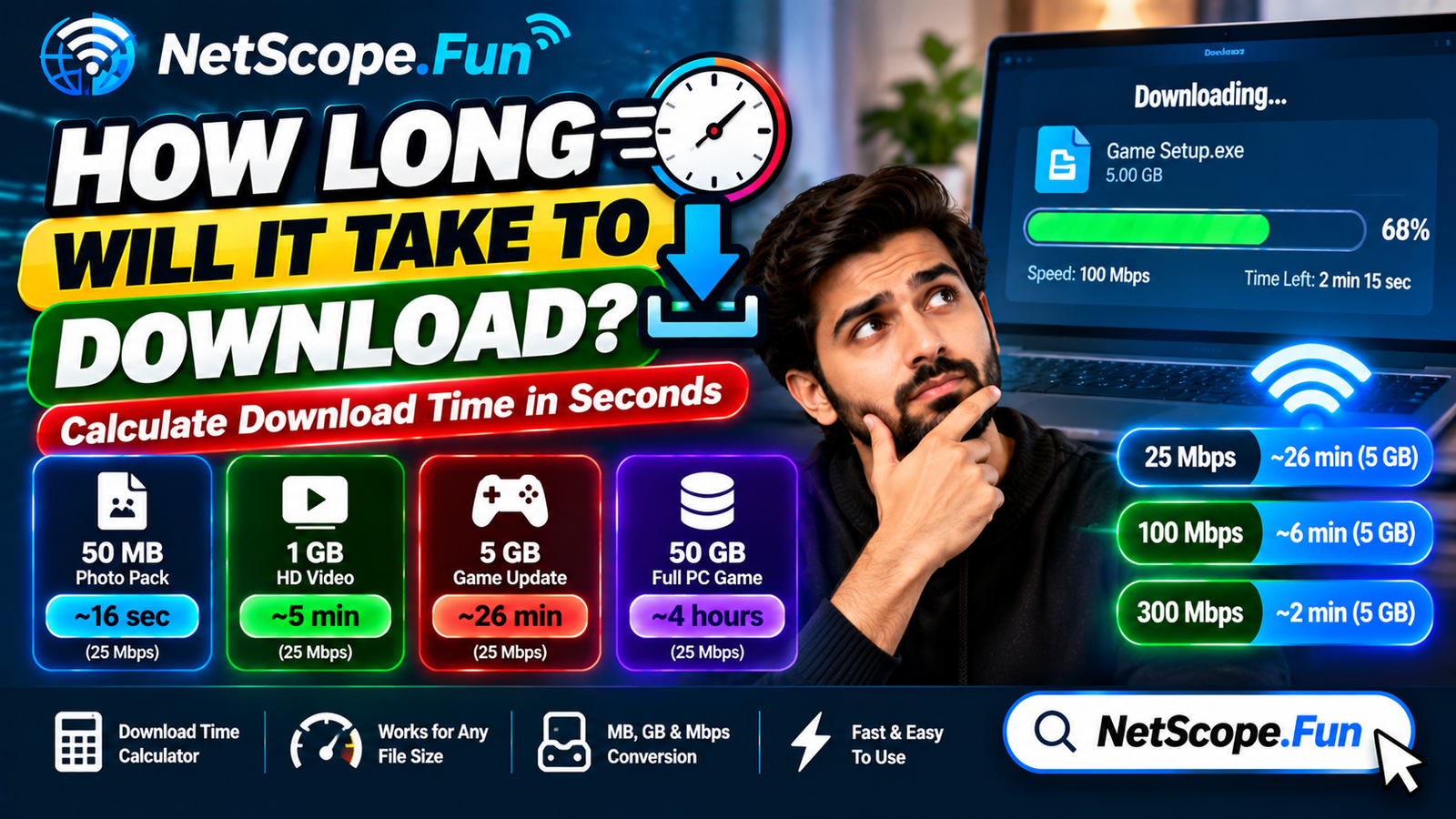
The table below shows ideal download times. Real times will be a little longer, but this gives you a solid estimate.
| File Example | File Size | At 25 Mbps | At 100 Mbps | At 300 Mbps |
|---|---|---|---|---|
| Photo pack | 50 MB | ~16 sec | ~4 sec | ~1.3 sec |
| 1-hour HD video | 1 GB | ~5 min 20 sec | ~1 min 20 sec | ~27 sec |
| Game update | 5 GB | ~26 min 40 sec | ~6 min 40 sec | ~2 min 13 sec |
| Full PC game | 50 GB | ~4 hrs 26 min | ~1 hr 6 min | ~22 min |
Want to check your own file? Use the file transfer time calculator if you are moving files between devices or drives — it works the same way but is handy for USB, local network, and cloud transfers.
Download Time vs. File Transfer Time: What's the Difference?
People often use these terms interchangeably, but they are slightly different:
| Type | What It Means | When to Use It |
|---|---|---|
| Download time | Time to get a file from the internet to your device | Downloading games, videos, apps |
| File transfer time | Time to move a file between two devices or drives | Copying to USB, sending over local network |
Both use the same formula: size divided by speed. The only difference is where the speed comes from — your internet speed for downloads, or your cable/drive speed for transfers.
Understanding this also helps you plan data usage. For example, knowing how much data gaming uses per hour or how much data a video call uses per hour can help you avoid surprises if you have a data cap.
How Can You Make Downloads Faster?
You cannot always change your plan, but you can get closer to your maximum speed:
- Use ethernet when you can. A wired connection is usually faster and more stable than Wi-Fi.
- Pause other heavy usage. Stop streaming or large uploads on other devices while you download.
- Move closer to your router or restart it if your Wi-Fi feels slow.
- Download at off-peak times if your area gets congested in the evening.
- Check for background apps. Cloud backups and automatic updates can quietly eat bandwidth.
If you try these and speeds are still far below what you pay for, run a speed test and talk to your provider. You can also browse more tips on the Netscope blog for practical internet guides.
FAQs
How do I calculate download time without a calculator?
Convert your file size to megabits (MB × 8, GB × 8,000) and divide by your speed in Mbps. The result is seconds. Divide by 60 to get minutes. A calculator just automates this.
Why is my download slower than my internet speed?
Advertised speeds are maximums under ideal conditions. Wi-Fi interference, network congestion, server limits, and other devices using your connection all reduce real speed.
What is the difference between MB and Mbps?
MB means megabytes (file size) and Mbps means megabits per second (speed). There are 8 bits in 1 byte, so 1 MB = 8 Mb. Mixing them up makes your estimate 8 times too short or too long.
How long does it take to download a 10 GB file?
On a 100 Mbps connection, a 10 GB file takes about 13 minutes and 20 seconds in ideal conditions (10 × 8,000 ÷ 100 = 800 seconds). On 25 Mbps it is about 53 minutes.
Does upload speed affect download time?
No, download time depends on download speed. Upload speed matters when you send files, back up to the cloud, or make video calls.
Can I use the same formula for file transfers?
Yes. For local transfers, use the transfer speed of your USB, hard drive, or local network instead of internet speed. The math is identical.
Conclusion
You do not need to guess how long a download will take. Remember the simple rule: convert your file size to megabits, divide by your speed, and you have your answer in seconds. For the fastest result, let a download time calculator do it for you.
Next time you have a big file, plug in the numbers before you start. You will know whether you have time for a quick coffee or a full lunch break.